

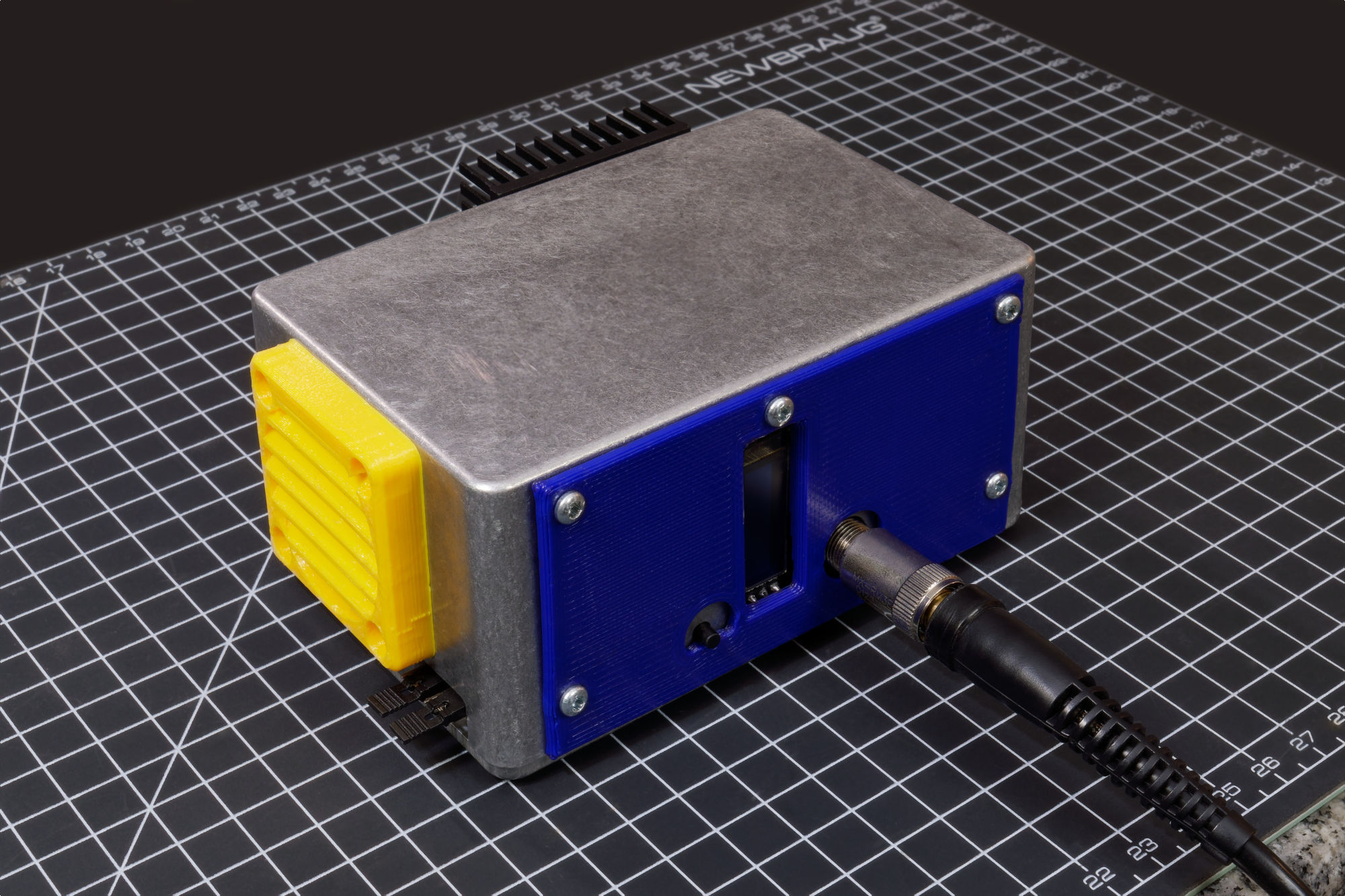
This is a handcrafted Metcal RF soldering iron station. It is compact, and powered by USB-C, or a battery, or a DC power supply.

For full technical details, design files, firmware, everything you need to build your own, please see my github repo for Hot-Wand.
Story
It all started at the annual Open Sauce, which is like a posh Maker Faire with high ticket prices and you can pay extra to simp meet your favorite youtubers. I get to go for free because I’m on a BattleBots team and we both exhibit our robots and this year we get to hold a small robot combat tournament in the event.
Well… turns out, we caused too many battery fires and the event organizers told us to chill out and stop fighting. So we got plenty of time to peruse the rest of the faire.
I stumbled upon the exhibit of Radio Thermal. They built an open source RF soldering iron. I knew what a RF soldering iron is because we have a Metcal MX-5200 in my lab at work, they are great and super expensive so I was very impressed. The Radio Thermal guys made it look easy, their design is pretty minimalist, aiming to cut costs down to make it accessible to everybody.
The event is over and I go home and go down a rabbit hole of learning more, eventually realizing the difference between the Metcal I already use vs the Radio Thermal design is that the Metcal is using 13.56 MHz whereas Radio Thermal is using an older 470 kHz implementation. Further exploration lead me to find the blog post of SergeyMax, who has reverse engineered an actual Metcal soldering station and then built his own DIY version.
But the thing is, SergeyMax is Russian, his blog post has been translated from Russian and he did write English comments in his schematics and PCB layout, but the other consequence is that… he designed the power input circuitry for Russian 240V AC, and I live in 120V land. That power input circuit is taking like half of the board space and looking at all the transformers, probably 1/3rd of the mass. There are a few people who attempted to build his circuit and they’ve all just… not populated those components and thrown in some off the shelf DC converter.
The people who have tried to build his design also ran into other issues, some components are only available from Russia, substitute parts from Amazon overheating, parts that had a tendency to “fail enthusiastically”, etc.
(please see the full design study here, there’s a lot of analysis)
I’m thinking… it’s 2026, I want my version to have USB-C and a battery input, it’s time to start the design from scratch, instead of band-aiding on top of SergeyMax’s design.
Two things happened… I was just chatting with my friend (and BattleBots team captain) mentioning I’m building this soldering iron kinda inspired from the guys at Open Sauce and he said “everybody’s talking about them!”. Also, I was nearing completion of the PCB design and was ready to order, and I was looking at the order size… as you might know, the minimum PCB order is 5 pieces…
My brain, for some reason, went “challenge accepted” and decided I’m going to make all 5 (it ended up being all 10) and just gift them to my teammates.
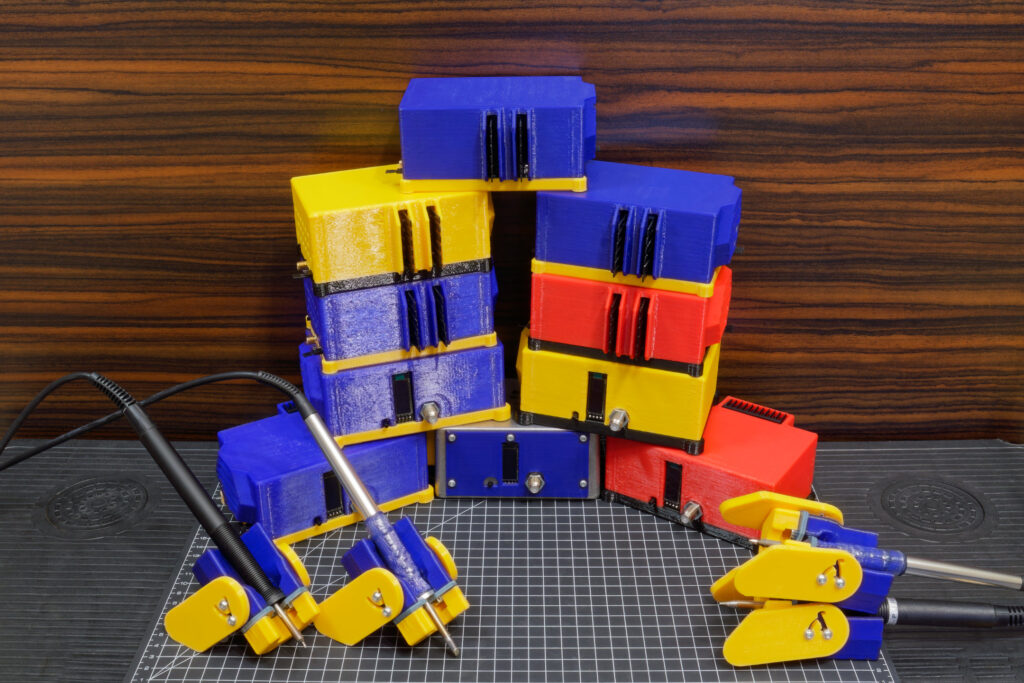
(can you guess what our favorite tool brands are?)
Importantly to know that… this is while I still had a job… a well paying one where I loved everybody and have energy left over for hobbies and volunteer work.
Parts were out-of-stock so I didn’t fire off the order right away. I kept tweaking the design, I wrote the firmware, I wrote out the build procedures and test procedures, all in excruciating detail. It was my hope that being super thorough would mean that the actual build is pain-free.
At some point during this period, I also thought it’d be fun to take the power input circuitry I designed, and adapt the Radio Thermal circuitry to it. I laid it out and it did indeed fit. It also opened up the possibility for me to experiment with some firmware tricks to adjust the power demands of their design. This I nicknamed the “Lite” version of Hot Wand.
After a while, I finally submit the order for PCBA, two projects, 5 pieces each. I spend the shipping time to write more documentation, order more parts, I actually wound all of the bigger inductors while waiting for the circuit boards to arrive. The build was pretty slow and one of the major delays was actually the fact that the 470 kHz family of soldering iron accessories are pretty outdated so there’s a longer lead time to buy them.
And somewhere here in the timeline… I get laid off from my job. Here ends an era, a 12 year career at Sony PlayStation, for the guy who introduced PlayStation R&D to 3D printing.
The project goes on, 8 gift soldering irons for my friends. And here we are, I’m done, they are built and tested and I’m finished updating the github for now.
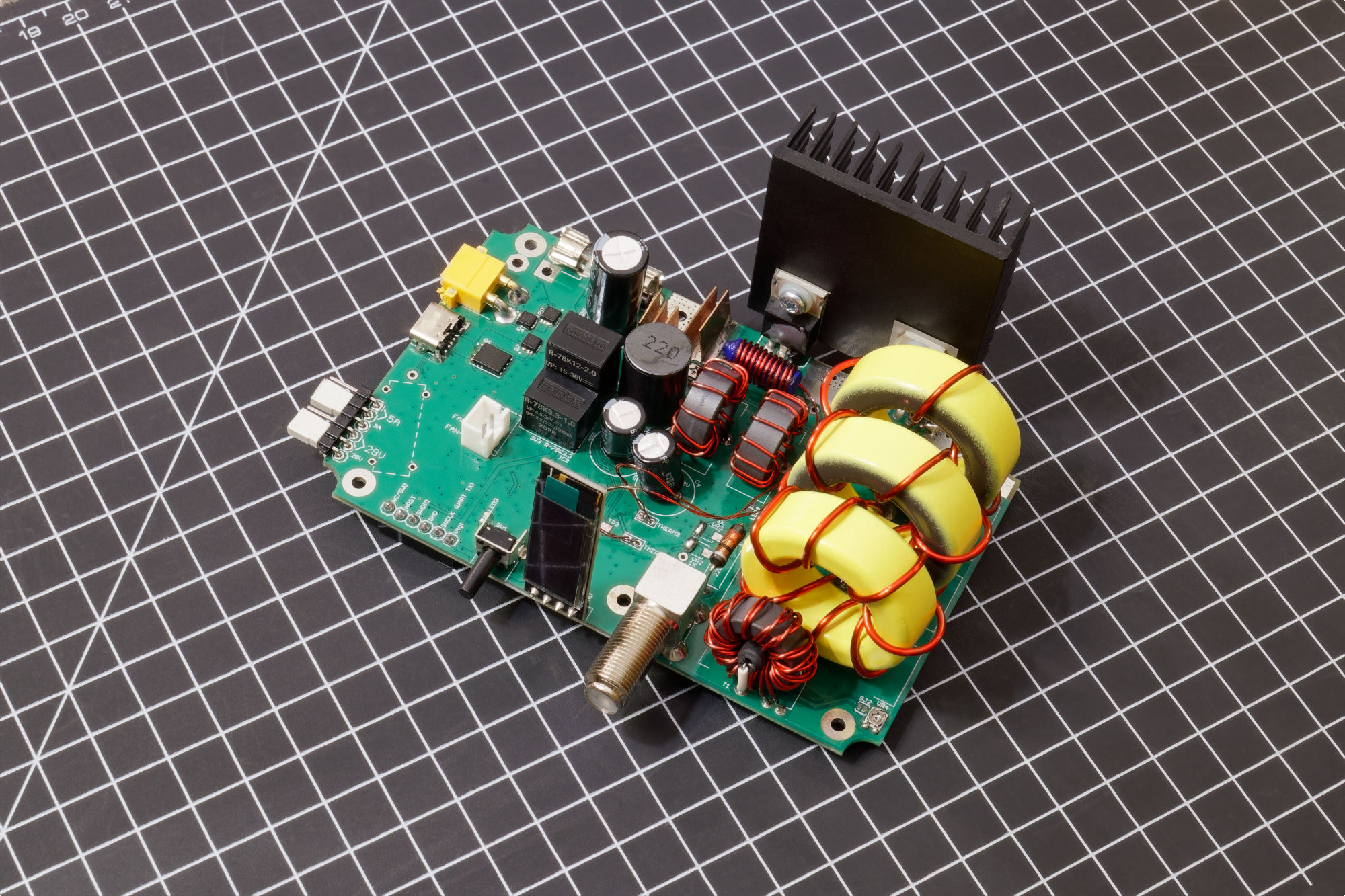
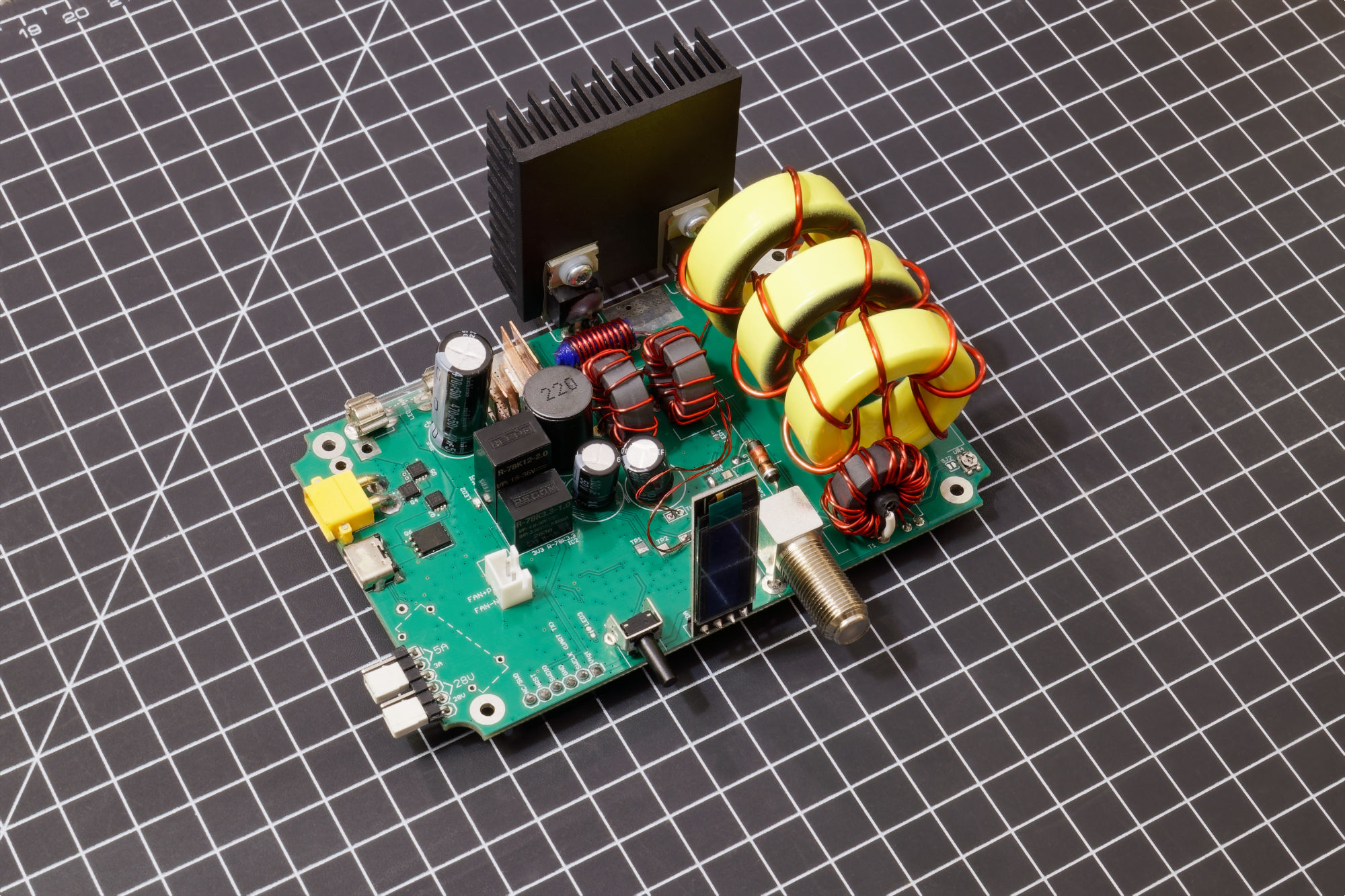
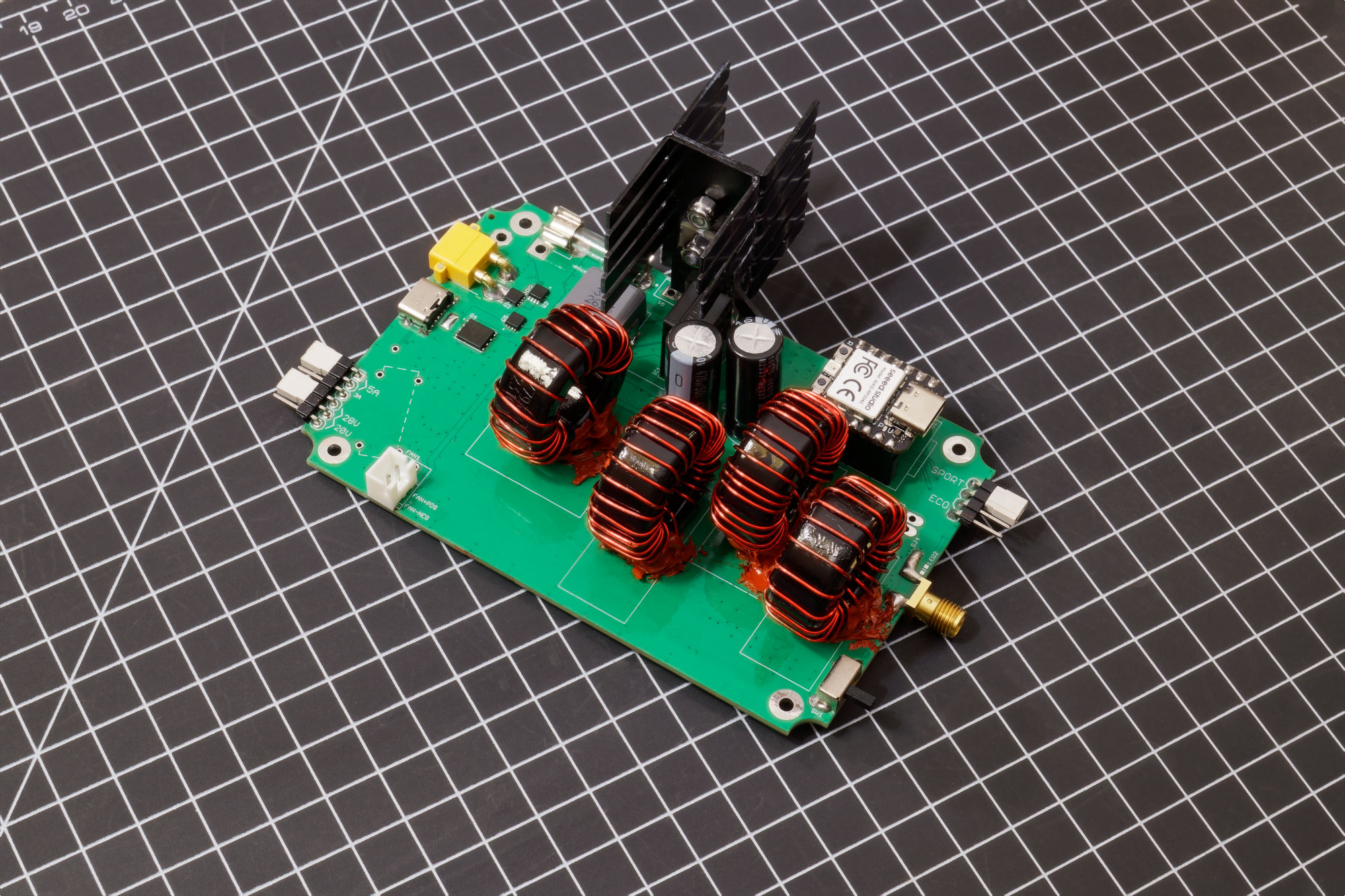
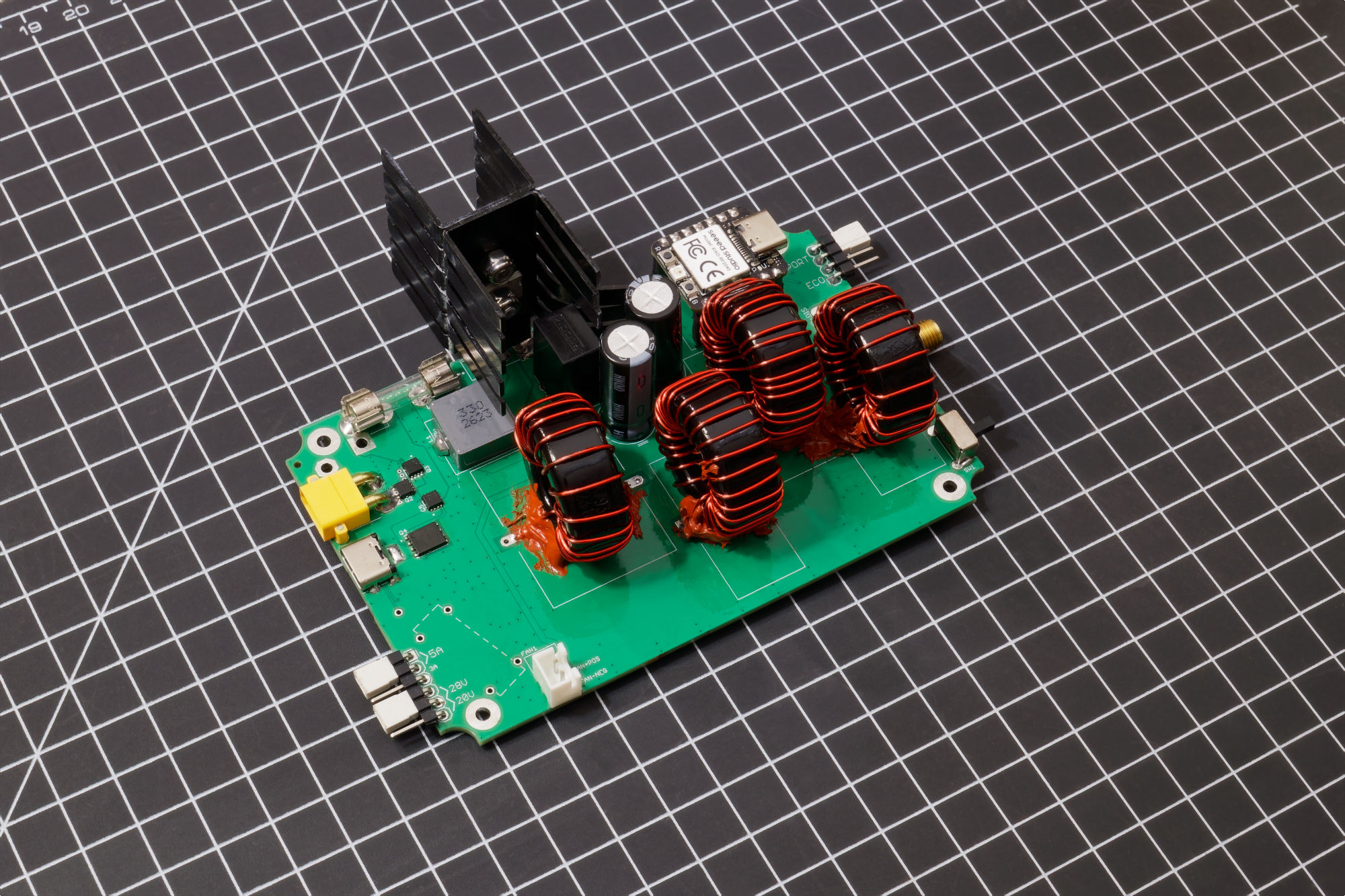
I designed a fold-up iron stand, with sleep-magnets! (the Metcal cartridges go into sleep when in-line with a magnetic field)
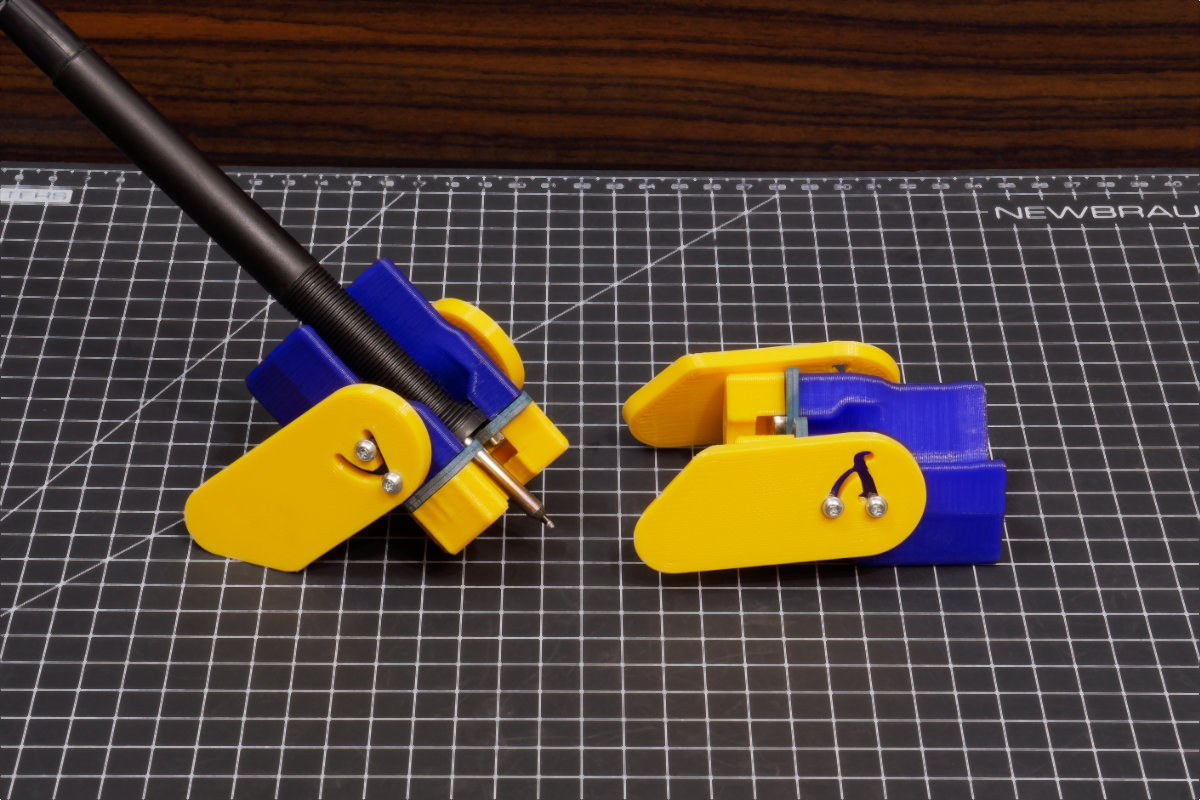
You might think it’s dumb to use plastic for this but my trick is to use FR-4 (ordering PCBs is cheaper than laser cutting lol) to ensure the hot metal parts never touch the plastic.
Fun Design Decisions
Even though I studied the designs I’m deriving from in depth enough to make correct part substitutions and such, in the end, this project kind of became “design a power input circuit and slap a soldering iron station to it”.
The whole reason why I wanted this to use USB-C and battery power input is because my hobby is combat robotics, and the gift recipients will be my BattleBots teammates.
Key feature number UNO: the battery must not explode!
Yea I could’ve solved this with a single diode and called it a day but I decided to throw on an ideal-diode controller. The USB-PD negotiator also controlled two MOSFETs. The final design has them coordinated such that USB power cannot flow into the battery, and a battery cannot damage the upstream USB host.
There’s more to it than that.
The most common USB-C charger brick I have is 65W, these are cheap and sometimes sold as an accessory to the Pinecil soldering iron. The issue is that these RF soldering iron cartridges have high peak power demands. For both station designs I have, I’m using firmware tricks (power limiter via PWM signal to the buck converter) to keep that peak low, a part of that is using a large amount of bulk input capacitance to smooth out the input current peak. Big capacitors causes a problem: sparks
The high input voltage is trying to fill up essentially a bottomless pit, resulting in a spark when you plug in a battery via the XT30 connector. I needed to prevent this. Very late in the design timeline, I upgraded the simple single-FET ideal-diode controller to a fancier one that controls two FETs and can implement a slow gate ramp-up, limiting the current that will slowly charge up those big capacitors.
Derek Tran, team captain of the Gigabyte battlebot, my friend, who was going to receive this soldering iron as a gift… you know what we give him shit for? Running 6S robots in the plastic-only weight class meant for little kids. His beetleweight robot runs 8S batteries. So me thinking Derek might one day plug in a 8S battery (that’s like 34+ volts), I made sure everything was rated for that. If the firmware detects that high of an input voltage, I added a easter egg that made the screen say “WHY DEREK WHY”. There are plenty of other robot combat community in-joke easter eggs in the firmware.
For implementing the power limiter, I added a signal between the microcontroller and the buck converter such that the microcontroller can influence the output voltage of the buck converter. At the time of design, it was a very simple concept that setting the voltage would limit the power to some level, and I can implement power-modes in the firmware that the user can choose. But it turns out that it is wayyyy more useful than that. In the final firmware, power draw spikes can be caught early and responded to in a way that doesn’t actually hurt the performance at all while still allowing for compatibility with 65W USB bricks.
Thermal Design
If you looked very quickly at the SergeyMax design, it seemed to have no cooling fan, which isn’t strange to me at first because the MX-5200 also doesn’t have a cooling fan. Both designs have a metal enclosure. It just seemed obvious that you would stick the MOSFETs onto the metal enclosure and let it be passively cooled.
Well… it turns out, SergeyMax posted a Youtube video many years later, which is not on his blog post. In the video he definitely realized that he needed active cooling and added a small fan that blows air into the enclosure. He also put a real heatsink on his MOSFETs but the fins were not inside the airflow.
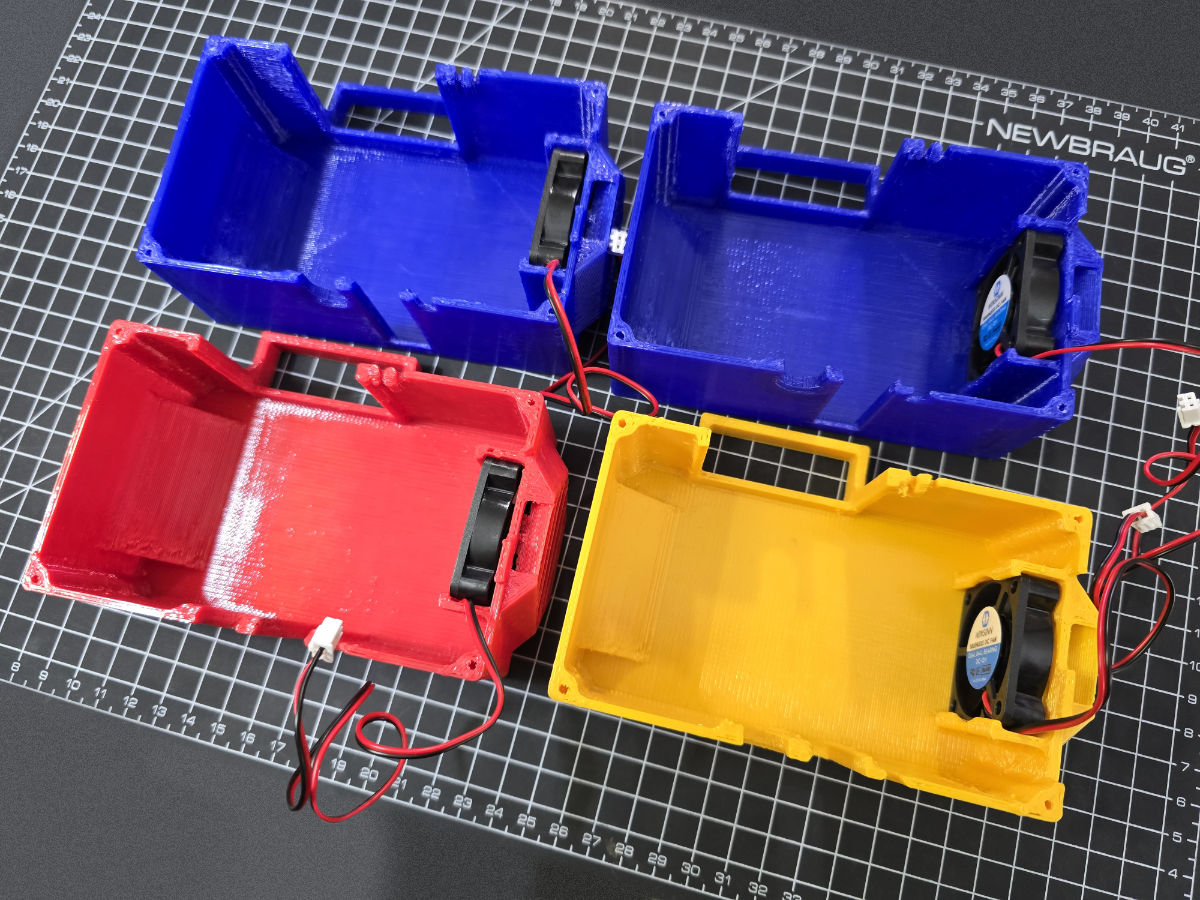
I made the design decision to add 40mm fans to both designs. The Radio Thermal authors use a 60mm fan but when I talked with them in person about the fan, they said the fan isn’t actually needed, their MOSFET can run without it.
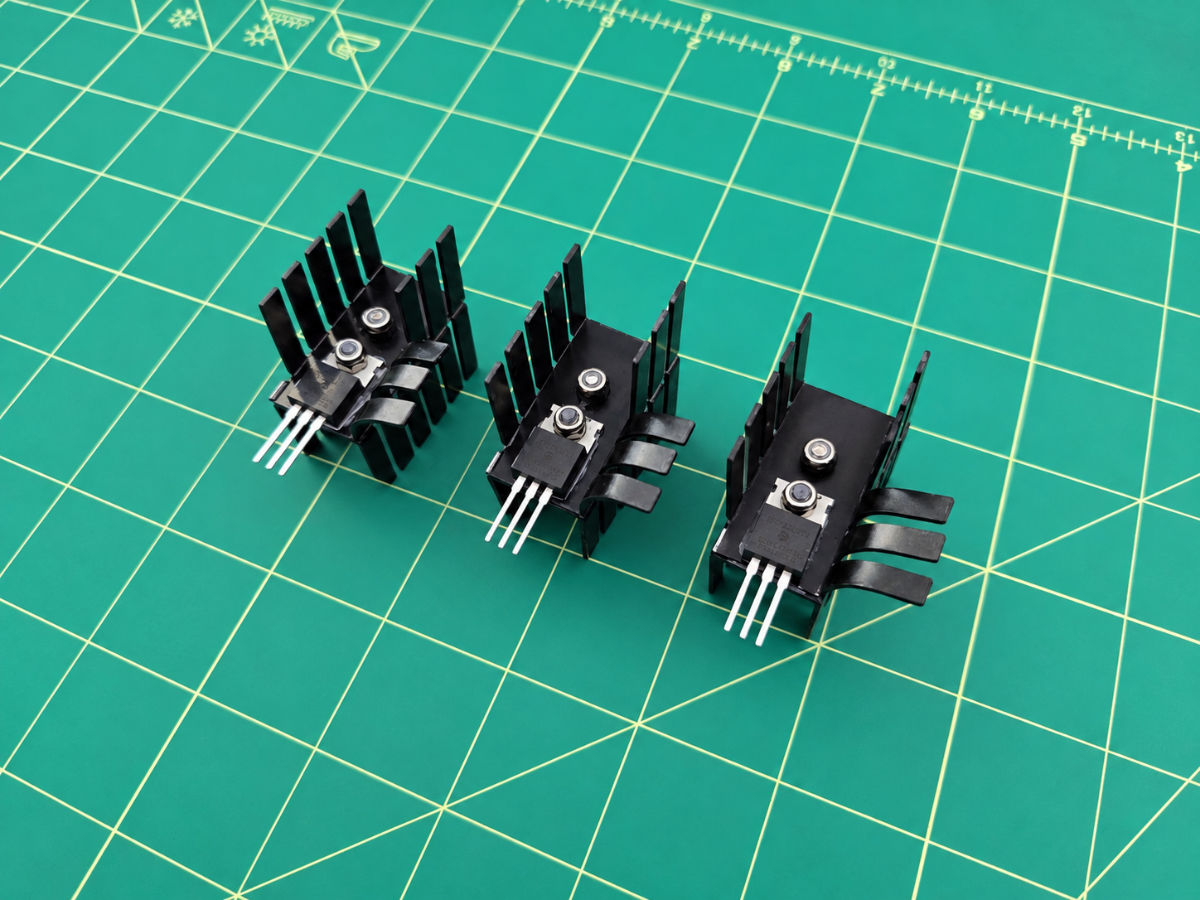
My first enclosure design is also metal, the MOSFETs are attached to a square heatsink and the back of the heatsink also mates with the metal enclosure wall. A plastic air duct is 3D printed, attached to the bottom of the heatsink redirecting the air upwards.
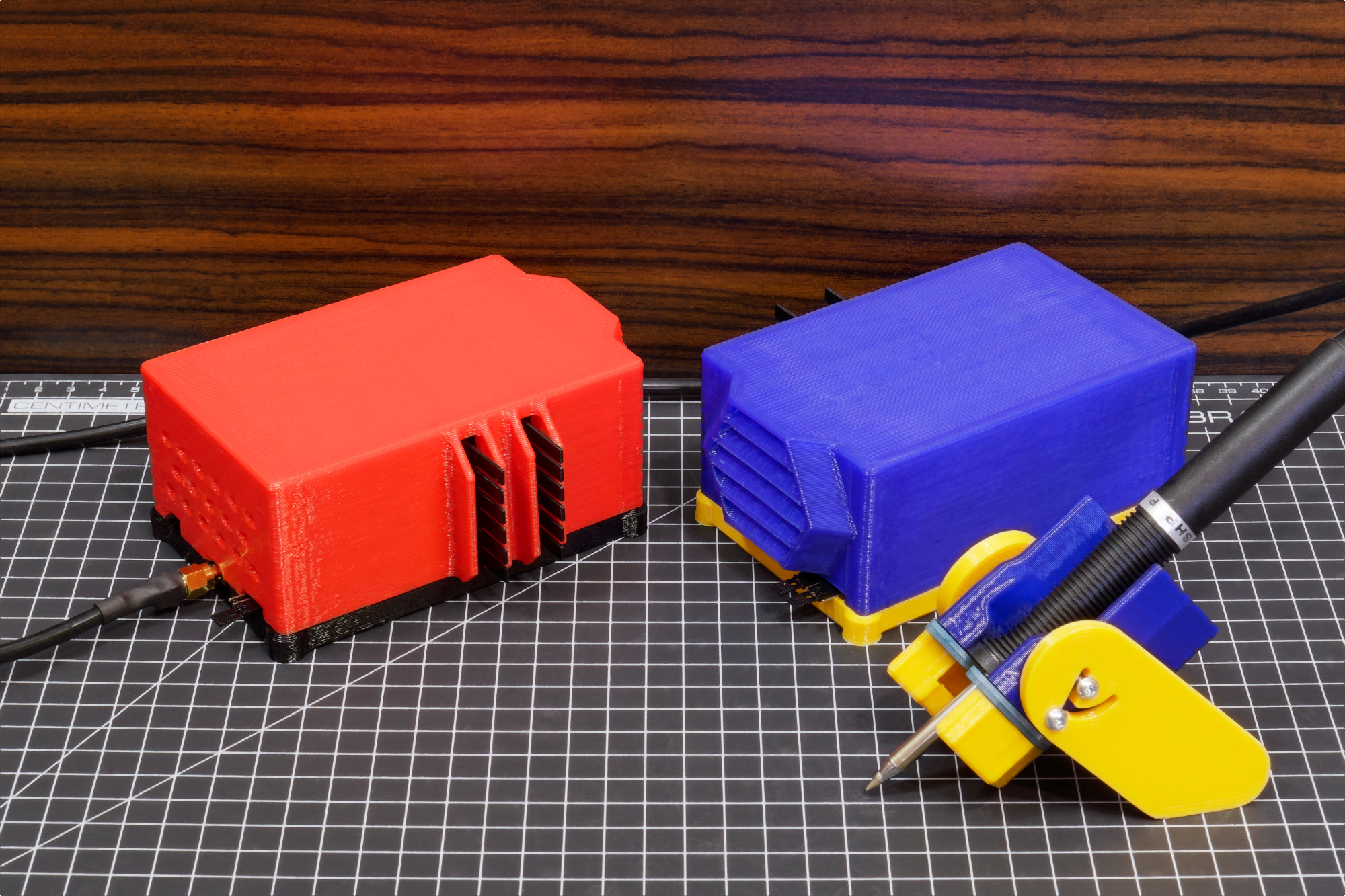
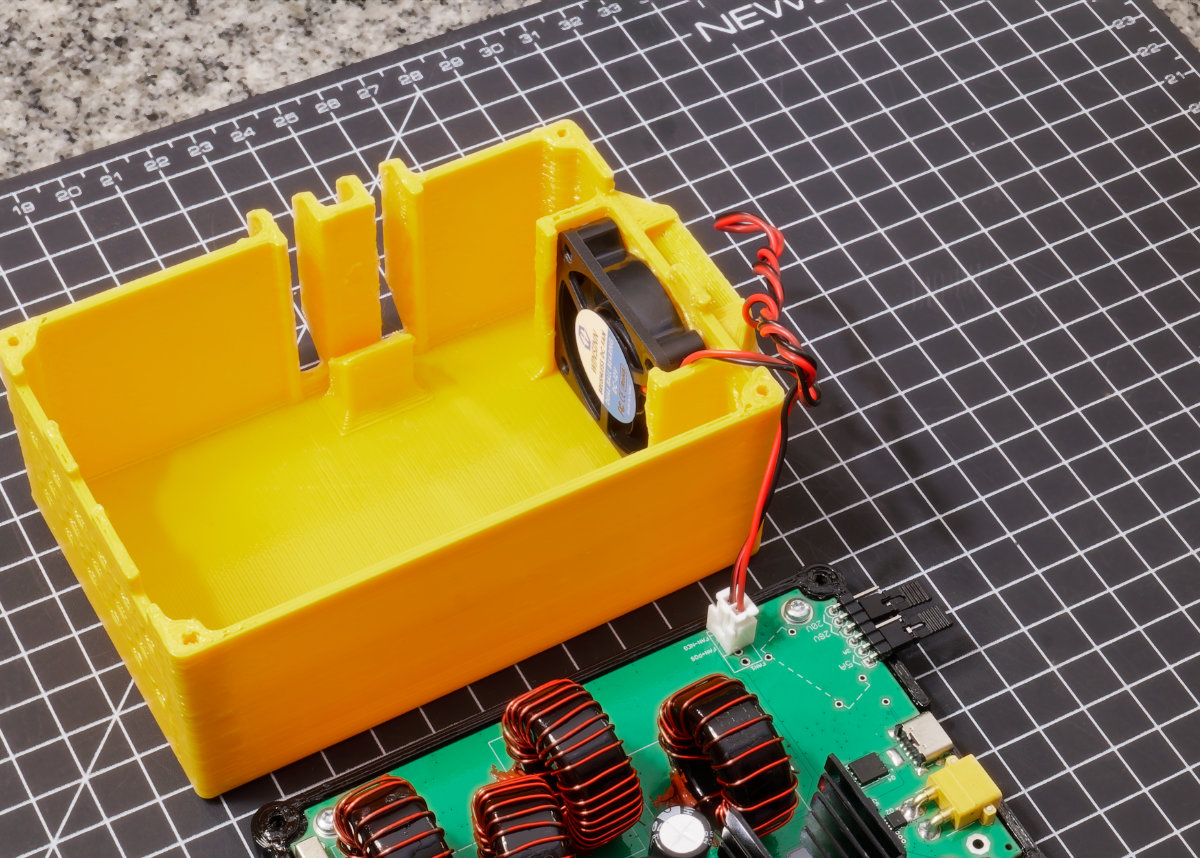
Cutting all the cut-outs in the metal enclosure was too messy, loud, and time consuming. So I decided to redesign the enclosure entirely out of 3D printed PETG (this is called “econo” in the design files and documentation). This design integrates that air-duct concept too, but no plastic is contacting the heatsink. This design worked great (see thermal test results).
Fun fact: SergeyMax’s video was in Russian, it had to be translated.
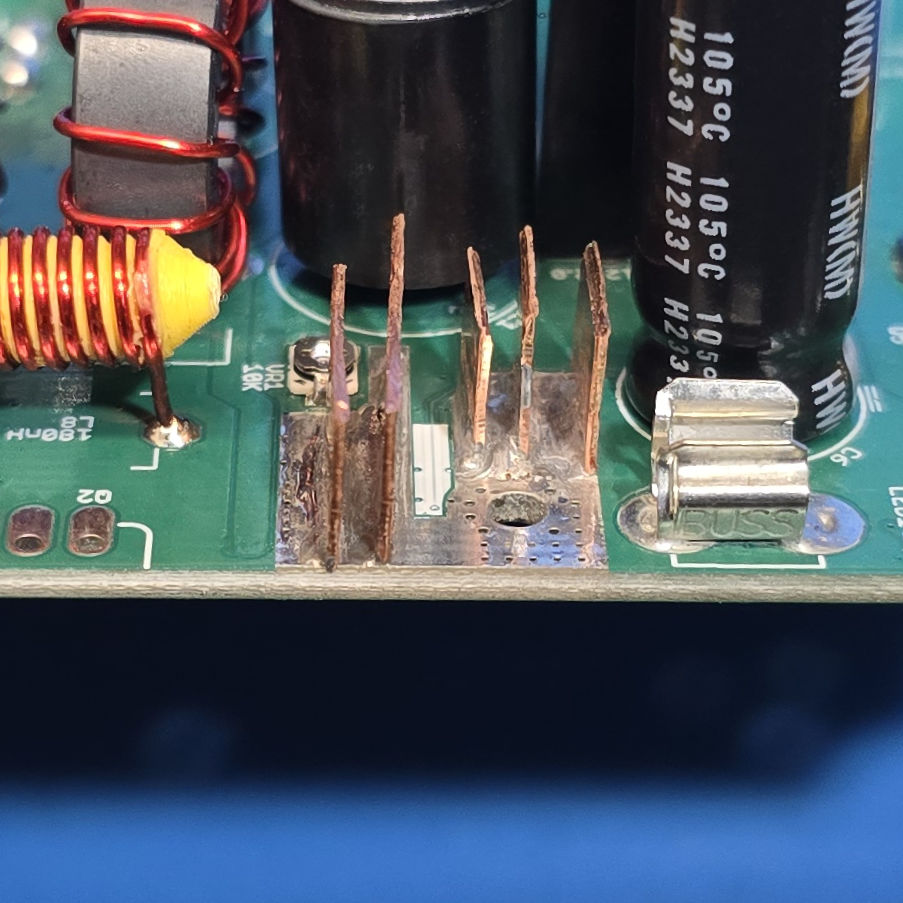
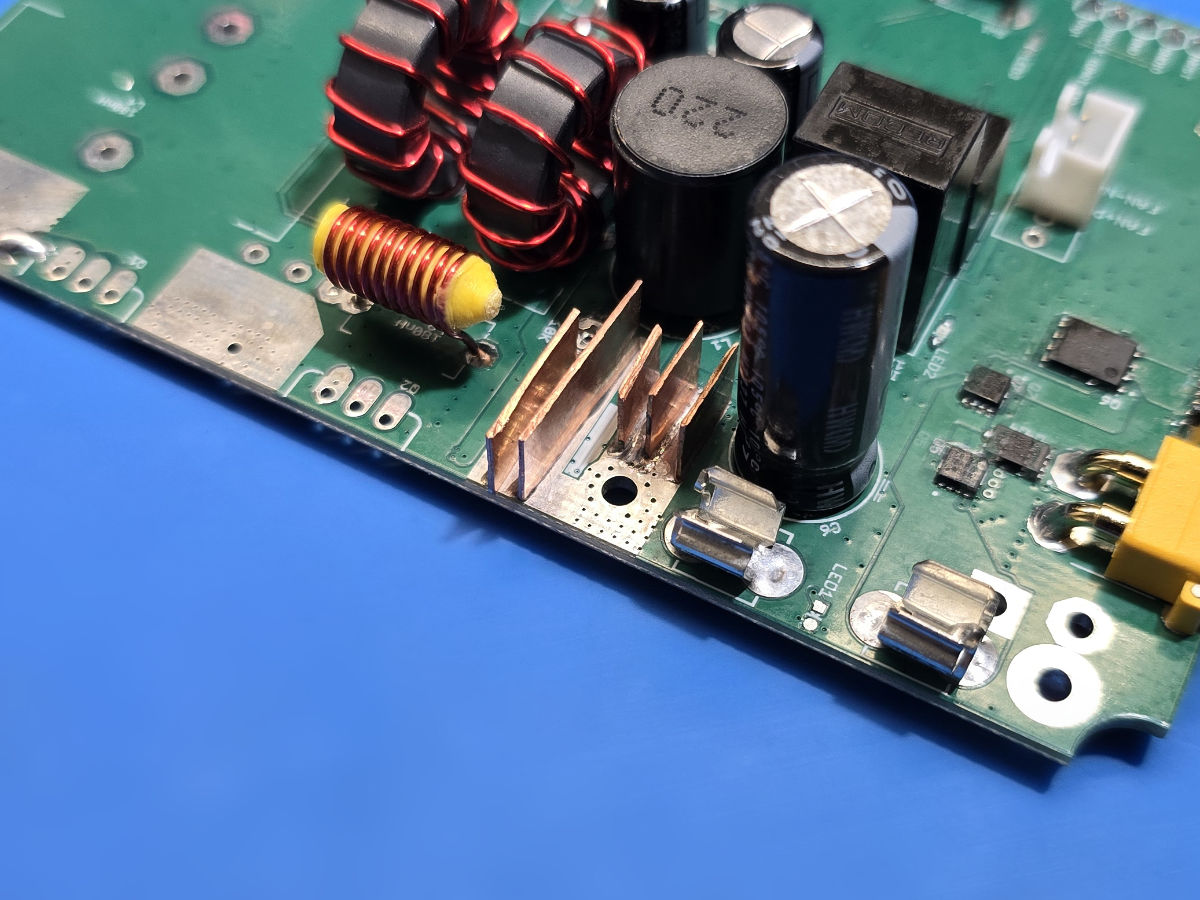
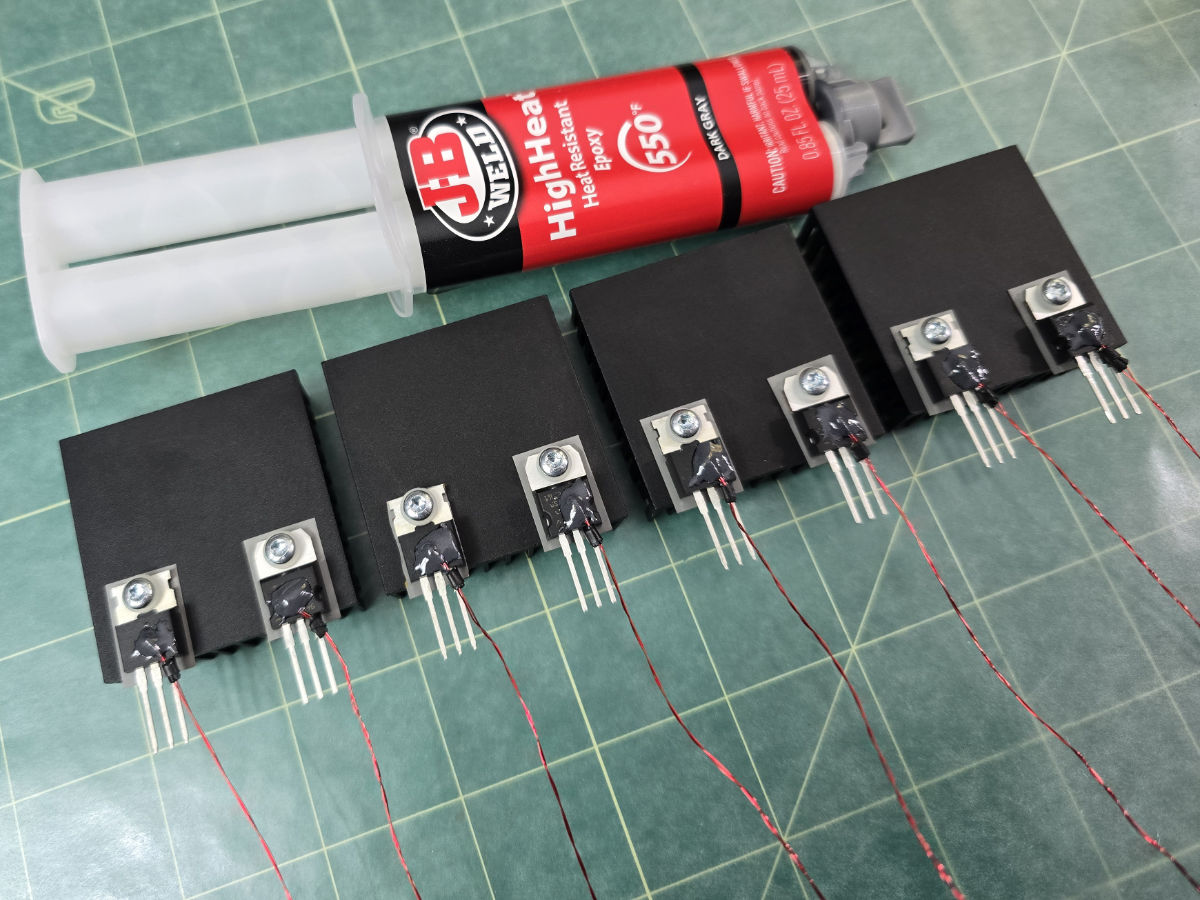
The buck converter has custom cut copper fins that’s soldered to the ground plane. There’s thermistors on all the MOSFETs too, it’s a fun build.
The Current Transformer
Read the full design study on the current transformer here
There’s a weird part from the SergeyMax design, it’s a toroid with two windings around the toroid and one wire through the center. SergeyMax calls this the current transformer, it transforms the current through that one wire, the RF output signal, into some AC voltage that goes through a bridge rectifier, and it seems to be connected to the buck converter’s feedback pin. At first glance you might just assume this modulates voltage based on the current consumption. It was not very well explained in the original blog post.
Many people who were trying to build the SergeyMax design questioned what that part actually did and they figured it out. The diodes were in a ring-mixer. The whole contraption is more like a phase difference detector between current and voltage waveforms. It’s a power factor meter. The RF soldering iron cartridges change their reactance according to temperature, and this meter detects that, in a way that lowers the buck converter voltage when the iron is already hot, and raises it when it is cold.
I studied the crap out of this thing. I now have my own animated simulation explaining how this works.
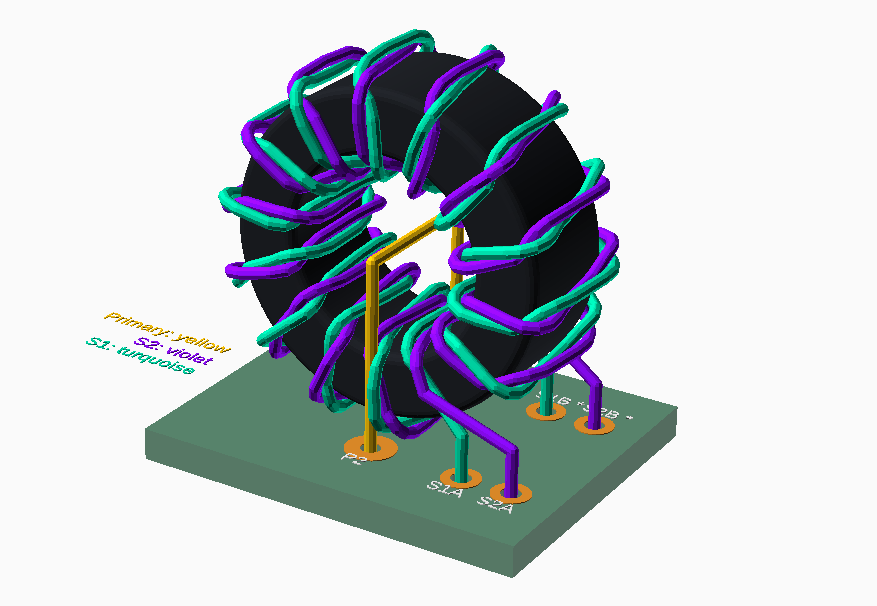
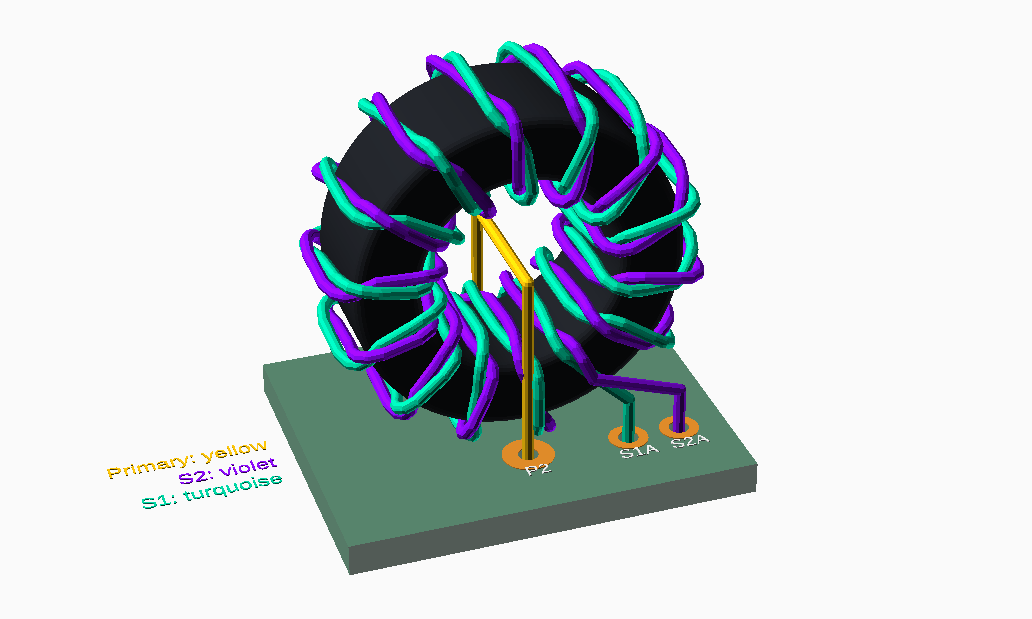
In SergeyMax’s many-years-later video, there was a few frames where this transformer was visible, and it looked very different from the photographs from his blog post. In the video, it looked like it used a twisted bifilar winding technique. He also talked about if you wired it up backwards, the voltage will react in the reverse, raising the voltage when it is supposed to be lowered, which could be catastrophic.
I 3D modeled the current transformer with colour coded wires so that anybody else building this thing will not get the wires swapped.
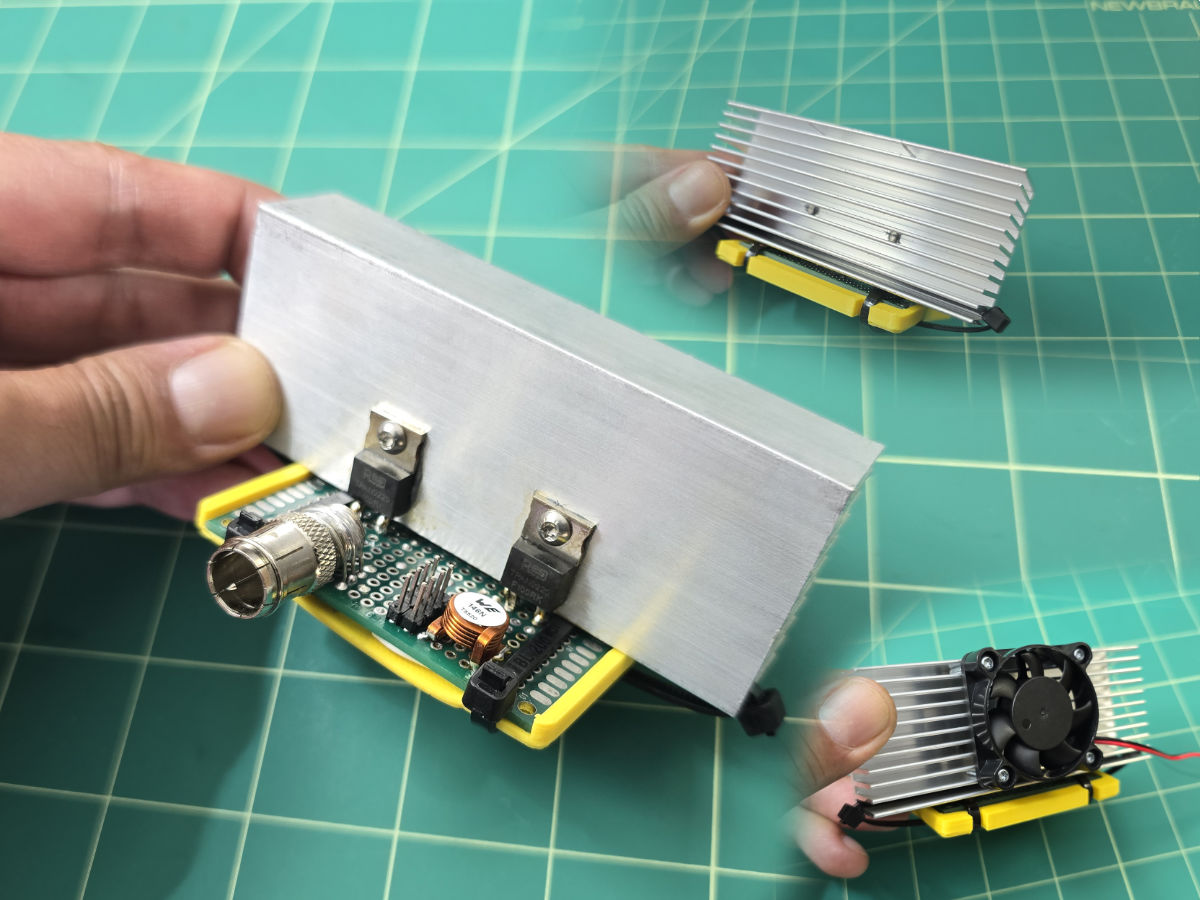
I even built a RF dummy load with re-configurable reactance, you can plug in different capacitors to change the phase angle. This is used to make sure I built the current transformer correctly. I had a special test firmware output short bursts of RF and then report back the voltage, with all phase angles tested, the trend tells me if the current transformer was correct or backwards.
I was very thorough here. In the end, I’ve tested all 5 built units and they all work. But… something that bugs me is that, if you compared just the PCB layout between mine and SergeyMax, it still looks like one of us has the design backwards. Since all 5 of mine are working correctly, I am wondering if SergeyMax also realized he had a design error, which is why he talked about it in the youtube video, made a small rework (either swap 2 wires or flip 4 diodes) but forgot to revise the design he published.
Custom Inductors
Even with the best build plan, the custom inductors that had to be hand wound are annoying.
The fun one is the coreless inductor. SergeyMax said to wind 10 loops about 5mm diameter and 10mm total width, and then squish or stretch it until the circuit is tuned. This is a part of sort of a pre-amplifier for the bigger RF amplifier, tuned means minimal power draw while also having a sufficient output waveform. I completely went off script here, what I did was use OpenSCAD to design a 3D printed post with a spiral, it fixes the pitch and diameter.
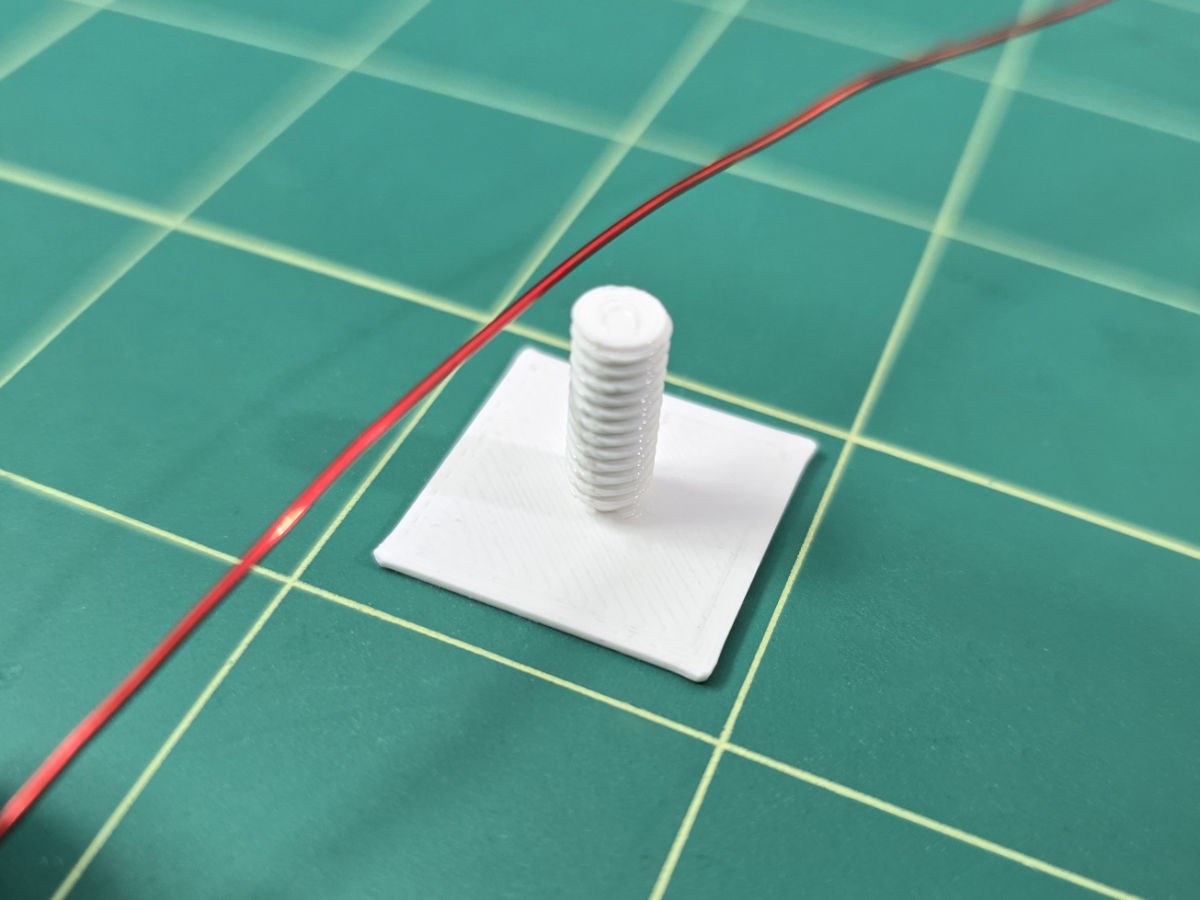
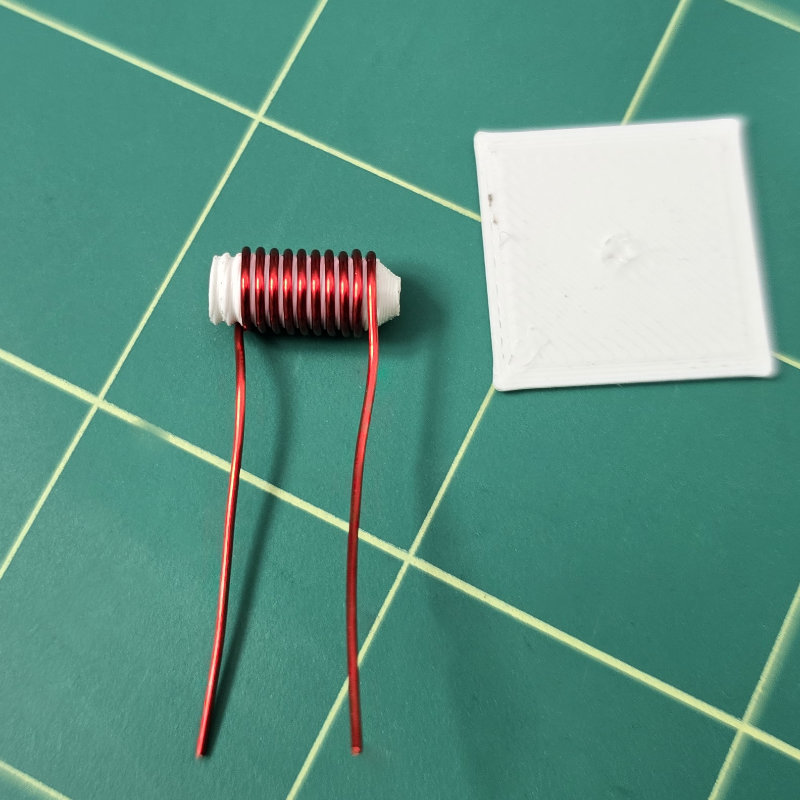
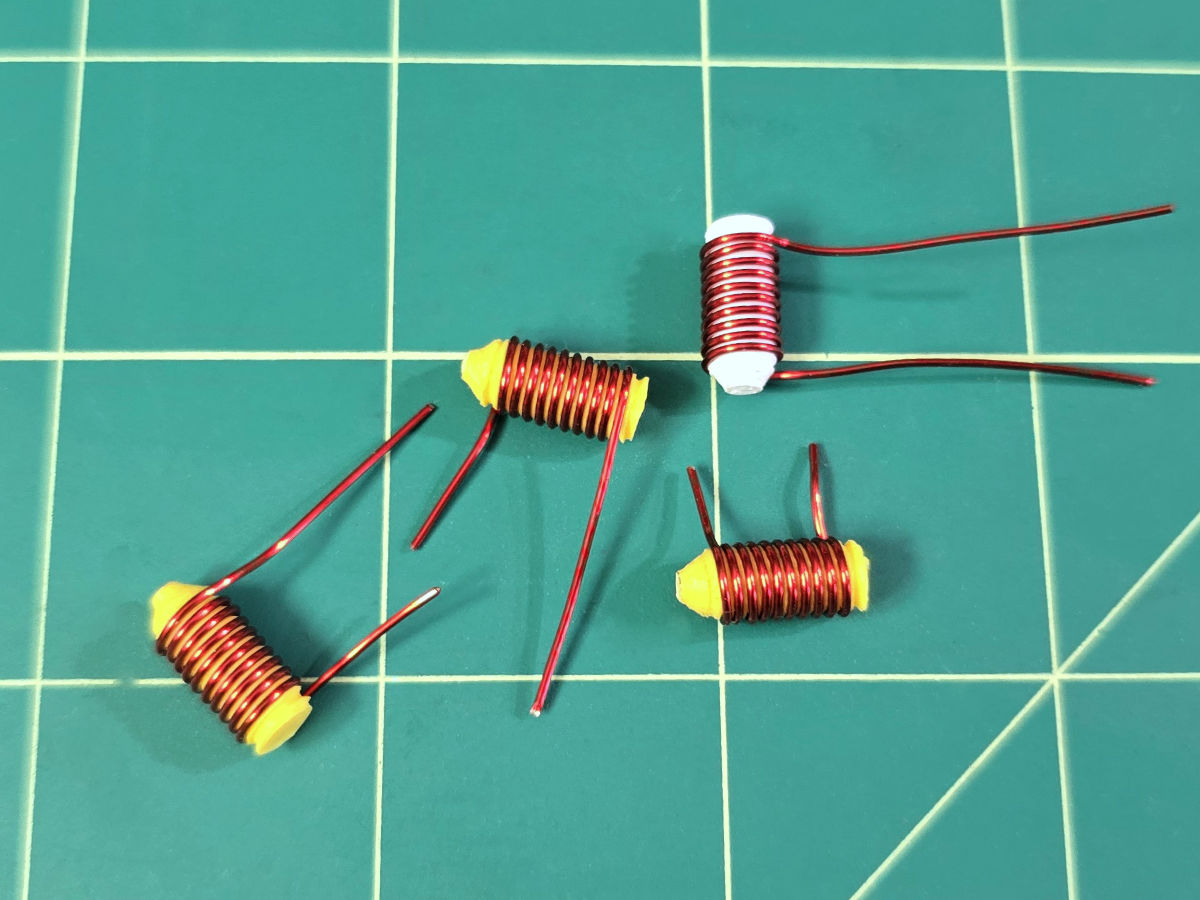
The inductors for the class-E RF amp drains, those were easy, the missing Russian toroid ferrite core was easily substituted with one from Digi-Key and the number of turns can be roughly recalculated using the new ferrite specs. These don’t need to be accurate.
The gigantic inductors used cores that I can purchase easily in the USA. These inductors are are 4 turns, 6 turns, and 7 turns, with thick 16 AWG wire. There’s no possibility to hand manipulate such thick wires or alter the number of turns to tune these, you just gotta live with them. Hell, the inductance for these are not within the range of my LCR meter anyways.
The cores for the Lite (Radio Thermal derived) design needed to be measured with a LCR meter after you finish winding. So the trick is to wind one more loop than usual, measure it, back off one loop if needed, then squish the spiral until you get the right measurement. The Radio Thermal authors even told me that they basically monitor the circuit and squish the wires while everything is fully running.
I can’t actually hand manipulate these, but the tuning doesn’t have to be exact. Across all 5 units I built, 3 of them worked fine with the default 10 turn configuration. 1 unit I had to use 11 turns, 1 unit I had to use 12 turns. Desoldering and resoldering isn’t that hard, I made sure of that in the PCB design.
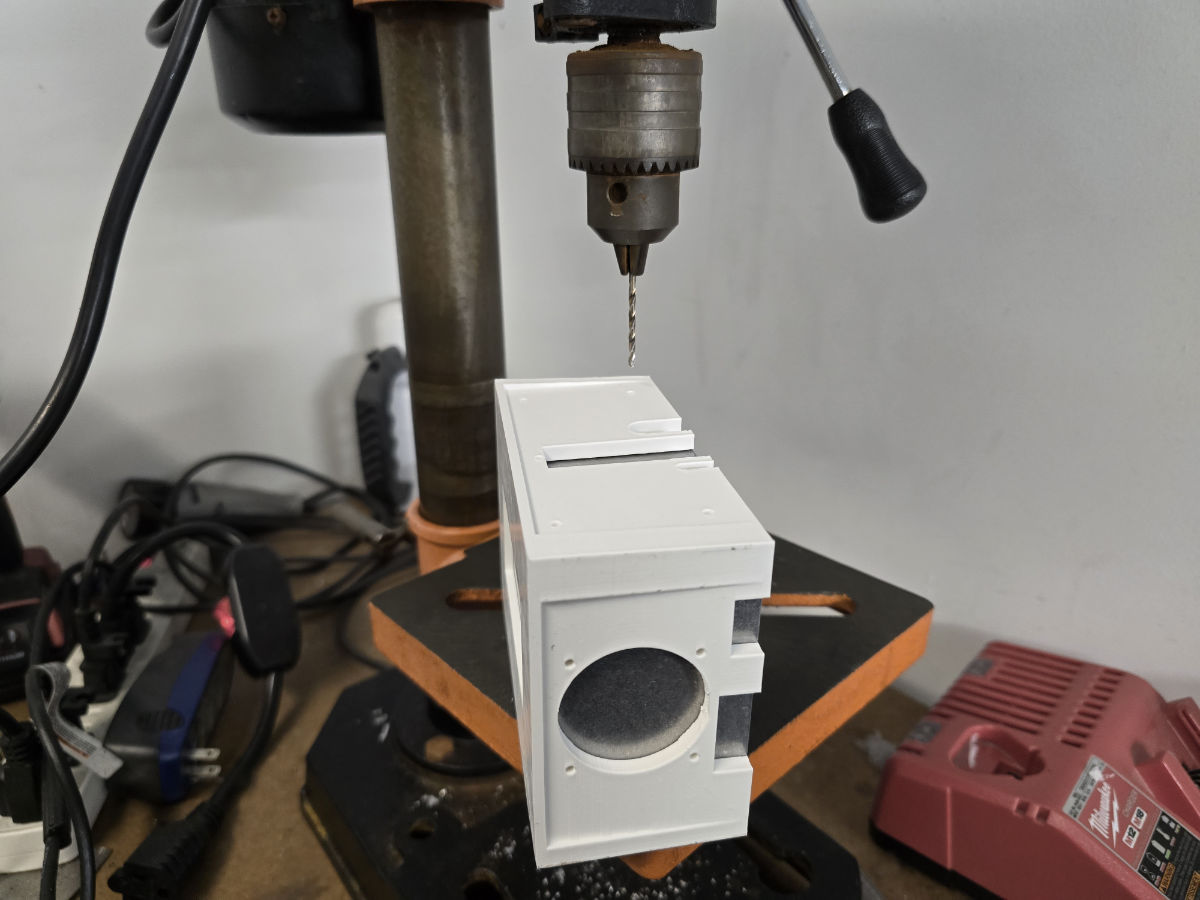
Metal Enclosure
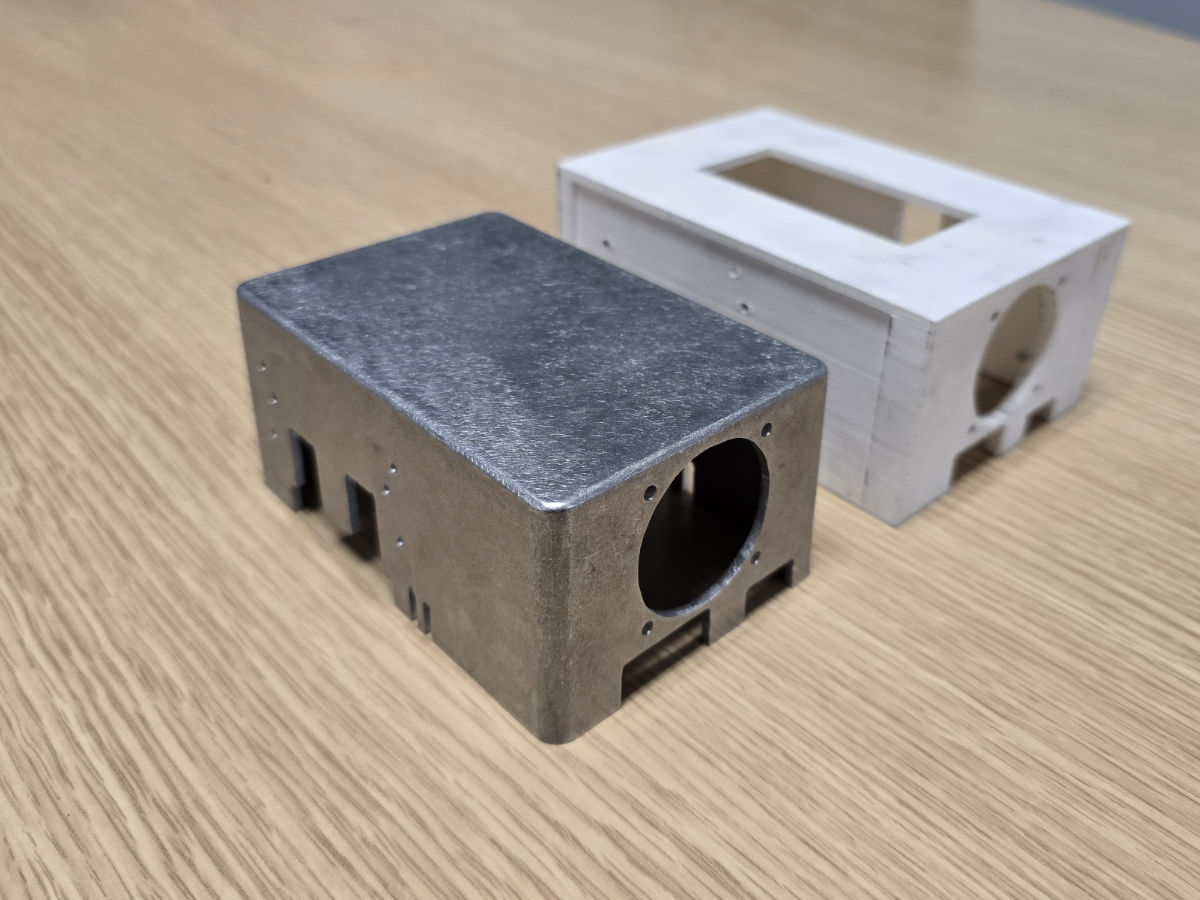
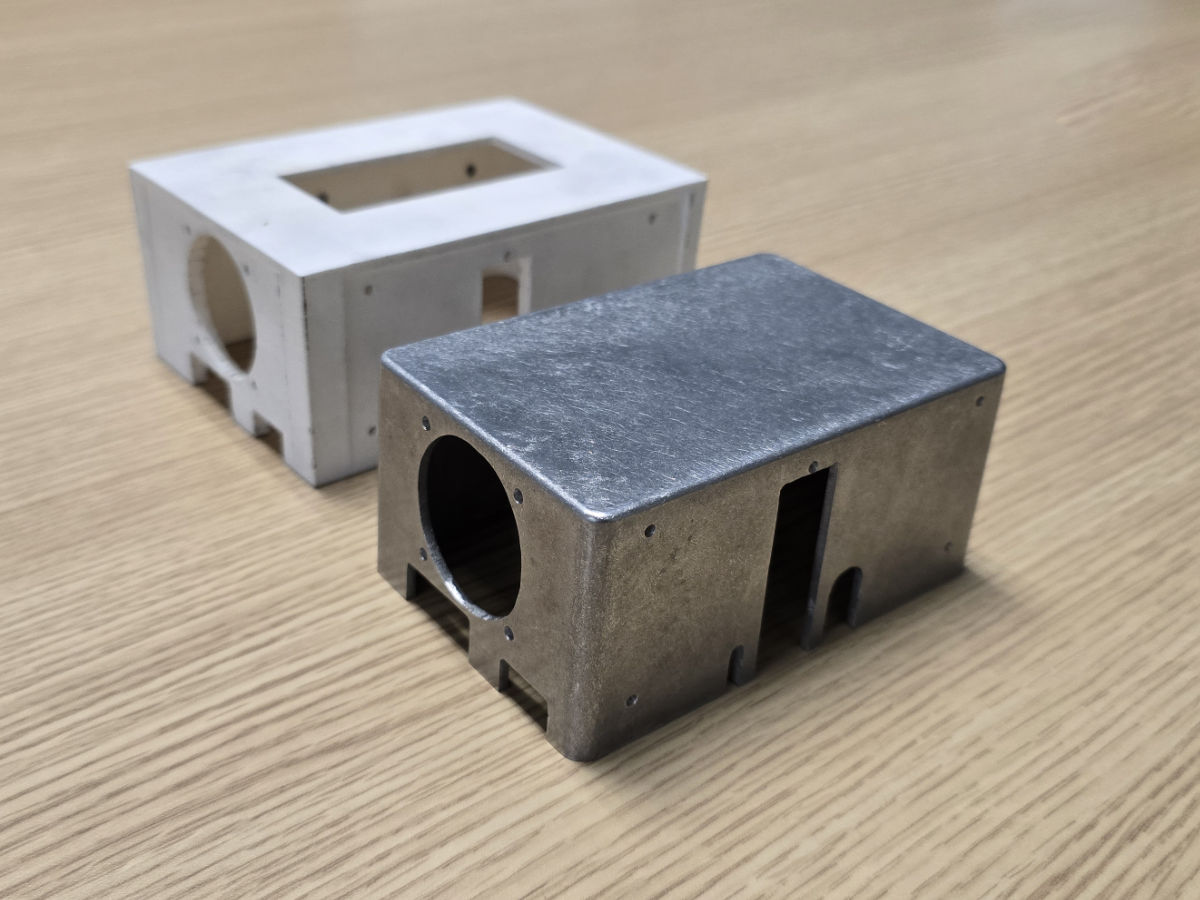
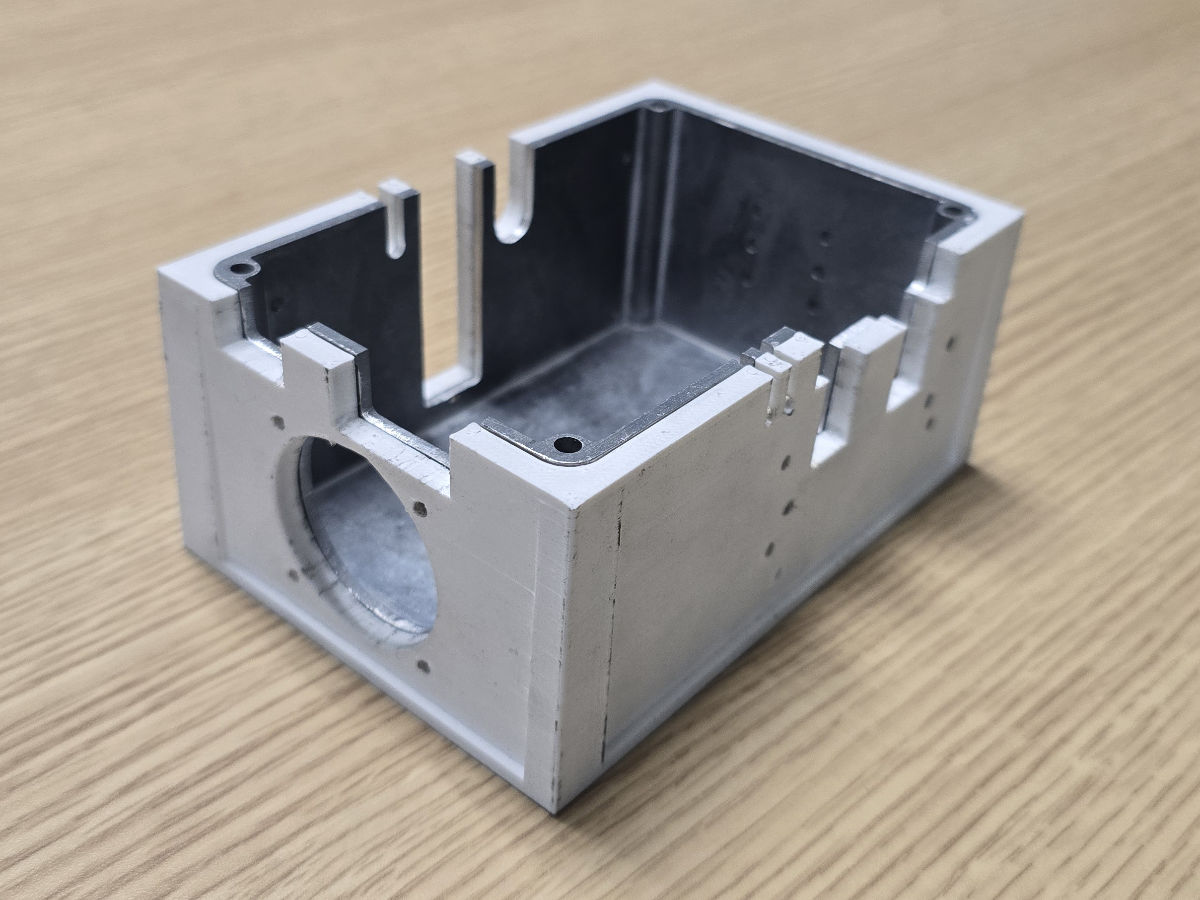
I only made one of these because it was such a pain in the ass. The other 4 are 3D printed.
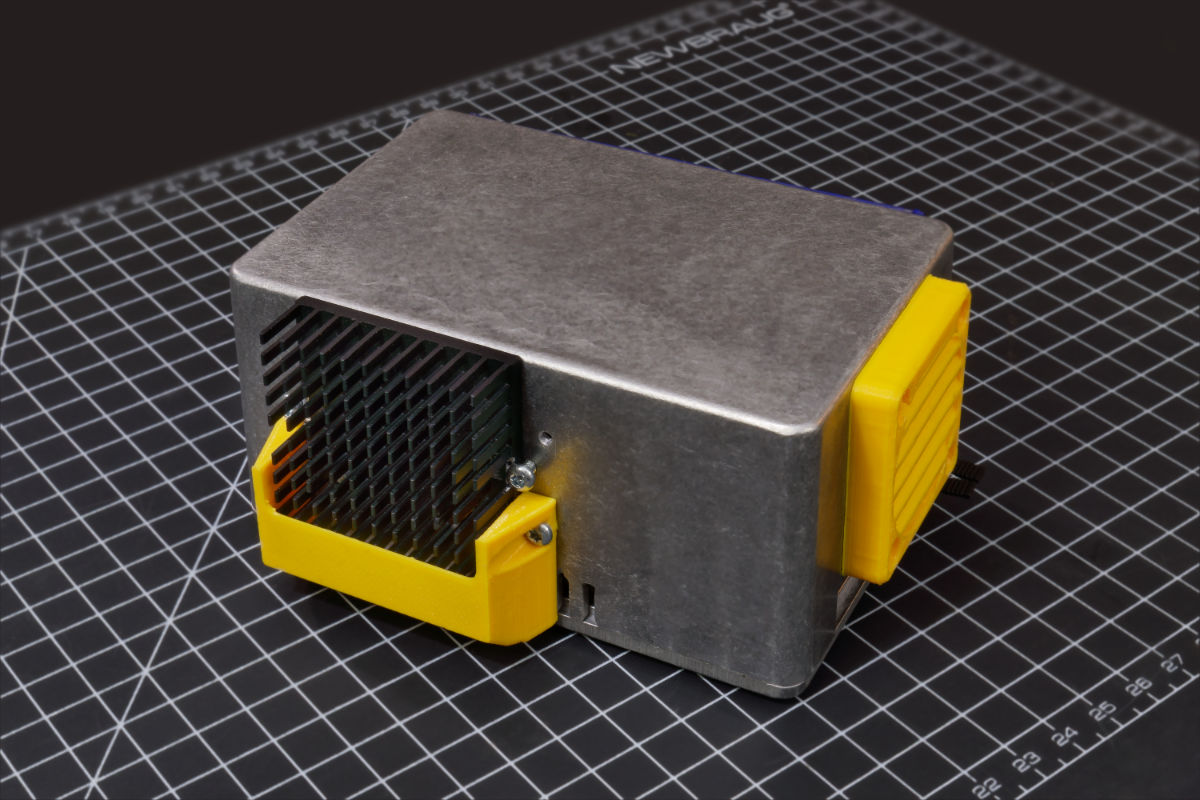
I used a 3D printed template to guide my cuts and drills
More
There’s more stuff that happened
- I got a K type handpiece and it overheated to 470C and turned blue
- I made the Lite design compatible with many microcontrollers but the pin arrangement for ESP32 turned out to not work
- The cheapest option for the iron stand’s strike-plate turns out to be… just make them out of PCBs!
- A TVS diode failed because of a cold solder joint on a capacitor, the glass fuse caught this
- Touching the high RF voltage really hurts! Don’t test this with the enclosure open!
- To save money, most of the handpieces and cartridges I managed to get cheap off of surplus sellers on eBay. Some of them are used and extremely worn out. The worn-out rubber grips on some handpieces are replaceable, I even 3D printed two.
- The design was meant to use a $10 ultra quiet super reliable Noctua fan, but when I made the decision to make 10 of these… the circuit also supports cheap $10-for-a-5-pack fans. They are not bad fans, but not Noctua good.
- I had to buy a USB-C testing device that can analyze cables with e-markers, I had 2 bad cables and I also want my friends to have working cables capable of 5A